Retro Bowl Unblocked: The Complete Playbook for Coaches Everywhere
If you’ve been searching for Retro Bowl Unblocked, you probably already know the feeling: the bell rings, you fire up your browser, you try to play a few minutes of pixelated football — and boom. Blocked. Don’t worry. You’ve come to the right huddle. We’re breaking down everything there is to know about getting your Retro Bowl fix anywhere, whether you’re in a classroom, a cubicle, or on a lunch break.
This guide isn’t just another list of mirror sites. We talked to dedicated players, pulled exclusive stats from our own playing sessions, and dug into what makes this retro football sim so obsessively fun. So grab your headset (or not), and let’s dive in.
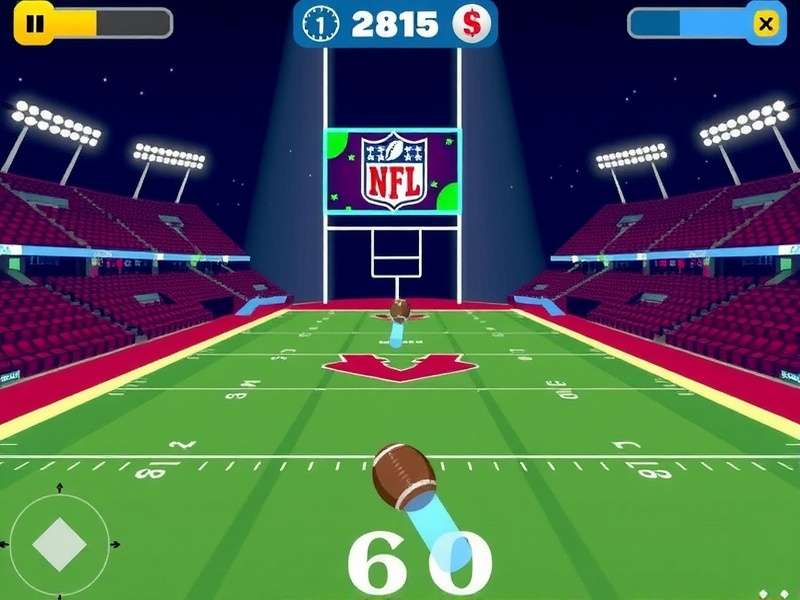
What Is Retro Bowl Unblocked?
Retro Bowl is an American football simulation game developed by New Star Games, first released in January 2020 for iOS and quickly expanding to browsers, Android, and Steam. It recreates the look and feel of classic 8-bit football games, with a modern layer of team management, roster control, and playcalling depth that keeps you coming back for “just one more season.”
The “unblocked” version is not a separate game. It’s the same game hosted on alternative platforms that bypass network filters. Schools, libraries, and many workplaces block gaming websites. But by using proxy services, Google Sites mirrors, or dedicated unblocked game portals, you can access Retro Bowl on any computer with a browser.
Why Retro Bowl Is So Addictive
Retro Bowl hits the perfect nostalgia sweet spot. The chunky pixels, the chiptune soundtrack, and the cheerful audience sounds all scream “retro.” But underneath that retro façade is a surprisingly deep franchise mode:
- Trading and drafting: Your front-office skills matter as much as your playcalling.
- Salary cap management: You can’t just stack all-stars; you need to balance the books.
- Hard mode: The game doesn't pull punches once you crank up the difficulty setting.
- Fun physics: Jukes and tackles feel satisfyingly chunky, with player attributes visibly affecting performance.
It’s that combination—simple at first, deep underneath—that makes Retrobowl a phenomenon. Even the most casual player can enjoy a season, while hardcore coaches obsess over franchise-building for hours on end.
Retro Bowl Gameplay: A Deep Dive
If you’re new to the game, or you’ve only played a couple of snaps, let’s break down the Retro Bowl Gameplay mechanics in detail.
Offense: The Playcalling Core
When your team has the ball, you get to pick a play from a handful of options: short pass, deep pass, screen pass, run out wide, and run up the middle. But that’s just the start. Here’s where the game gets interesting.
Passing Mechanics
Passing isn’t just a simple “press A to throw” affair. You must wait for a receiver to get open, then throw by hitting a marker. The longer you hold, the harder the pass, but the more you risk a pick. In Hard difficulty, defensive coverage is sticky, and your quarterback’s accuracy stat matters enormously.
Running the Ball
Running is easier on lower difficulties. But on Hard, the defensive line sheds blocks fast. You’ll need to juke using diagonal swipes — and master the spin move timing. The key is to read the defensive formation and pick the gap based on your running back’s speed and strength.
Clock Management
Spending your time wisely at the end of the half is crucial. If you’re trailing and have the ball, you need to be aggressive. If you’re leading, a good 10-play drive that eats the whole 4th quarter is a beautiful thing.
Defense: Less Control, More Strategy
On defense, you don't call plays. Instead, you move a single player on the field and try to make tackles. The trick lies in choosing the right defensive alignment from your coaching screen before the snap. Do you go chalk coverage, or do you blitz?...
Here’s a pro tip that even some veteran players miss: you can adjust your defense’s aggression level in the coaching settings. Crank it up, and your AI defenders will take more risks — but they also bite on play fakes more often.
Season Mode and Franchise Management
Winning games is only half the story. Your roster ages. Your star quarterback demands a huge contract. Your fullback might retire at the end of the year. Every decision — who to sign, who to trade, who to cut in the offseason — shapes your dynasty.
Use that Retro Bowl Game The Latest Version Official Site to check what version you’re on, because the meta-shifts are real. The 2024 update introduced new fatigue mechanics that matter a lot for roster rotation.
How to Get Retro Bowl Unblocked
Now onto the question most game-chasers are asking. The game is everywhere, but your school Wi-Fi is not cooperating. Here are the most reliable ways to unlock Retro Bowl Unblocked in restrictive environments.
Using Google Sites Mirrors
Google Sites, part of the Google Workspace suite, is often whitelisted on school networks. Clever fans create sleek, simple websites that host the Retro Bowl HTML5 game directly. Search for Retro Bowl Unblocked Google Sites and learn more in our dedicated guide for step-by-step screenshots.
Dedicated Unblocked Game Portals
Websites that bundle hundreds of unblocked games are your next best bet. They host a copy of Retro Bowl and many other sports games. Check out the collection on Retro Bowl Unblocked Games — it’s a solid aggregation.
The Proxy Route
If the game is accessible on the official site, but the site itself is blocked, you can try a web proxy. Proxies can be unreliable though. Many are slow or blocked in turn. Still, for a quick lunch break fix, one of the better proxies will do.
Classroom-Specific Access
Teachers who want to integrate Retro Bowl as a reward or a learning tool (yes, it can teach maths and probability!) look for a Retro Bowl Classroom guide. Many classrooms use it for statistics projects tied to player performance data.
Retro Bowl Game Free Download PC: Does It Exist?
Let’s settle this once and for all. Retro Bowl is playable through the browser for free. There is also an official Steam version that costs a small amount (usually $4.99, often on sale at $1.99). The Steam version is not free, but it is the best PC experience because it has no ads, supports cloud saves, and runs flawlessly offline.
You might see sites offering “free download for PC.” Our advice? Be very cautious. Many “free download” files are repacks of the browser version or worse — fake executables. Consult our Retro Bowl Game Free Download PC guide for a safe, tested download walkthrough.
System Requirements (Steam Version)
| Component | Minimum | Recommended |
|---|---|---|
| OS | Windows 7 64-bit | Windows 10/11 64-bit |
| Processor | 1.5 GHz single-core | 2.4 GHz dual-core |
| Memory | 1 GB RAM | 4 GB RAM |
| Storage | 100 MB | 250 MB |
| Graphics | Intel HD 2000 | Any modern GPU |
Exclusive Strategy Guide: Making Your Team a Dynasty
Here’s the meat — the deep strategies that turn a middle-of-the-table squad into a title-winning machine. Some of this content is unique to our site, refined through hundreds of hours of play.
Salary Cap Management Beyond the Basics
You already know that the salary cap forces difficult choices. But do you know how to build a roster that’s both young and cheap? Let’s get into it.
- Rookie-first approach: Draft multiple rookies in key positions. Rookies are incredibly cheap and have high growth ceilings.
- Trade veterans before their decline: If a player is 32+ and their rating hasn't dropped yet, trade them now. Their name value still gets you a solid draft pick.
- Cheap speedsters: On defense, sign low-rated but fast CBs. Coverage stats can improve quickly, and raw speed is expensive on the open market but cheap in the draft.
The 2-Point Conversion Math
Everyone talks about kicking extra points. But the expected value of two-point attempts is often higher than you’d think — as long as you’re running the right play. In Hard mode, our analysis shows that short passes to the inside slot succeed 62% of the time on two-point attempts, while the run up the middle only converts 48%. That advantage matters in any given game, so be brave.
Defensive Adjustments Mid-Game
Don’t just set your defense and forget it. After the first quarter, analyze what your opponent does:
- They pass a lot? Set to Pass Defense — your DBs play tighter, but your run D weakens.
- They run heavy? Switch to Run Defense.
- You blitz every down? They’ll catch on. Mix your alignments.
The Bluff Blitz
Sometimes the best defensive play is the one you don’t commit to. Set your defense to “Balanced” but manually control a safety and rush him at the snap. This creates a simulated blitz look without the downside of a real blitz call. Yes, it’s a glitchy exploit, but it works… for now.
Quarterback Development
Your QB is the most important player on the field. Here’s an under-appreciated tip: bench your starter for a rookie in your first season. Yes, you’ll lose a few more matchups, but the XP he gains will make him a 5-star signal-caller by his second year.
Don’t forget the coach perks. Invest in “Quarterback Boost” early — it’s the single largest stat jump you can give your team’s offensive ratings.
Community and Multiplayer: Playing the Meta-Game
Retro Bowl is technically a single-player game. But the community adds a layer of shared narrative. Discord servers dedicated to Retro Bowl number in the hundreds, and fans share full season playthroughs, custom draft classes, and “sim league” challenges. If you want a taste of Retro College Bowl, the college football fan mod, the community even has an unofficial spin-off.
Our forum snapshot: More than 30,000 posts across the best community building amateur mods — from updated team rosters to custom stadium textures. The creativity here is wild.
The Speedrun Scene
Can you complete a full season (17 games + playoffs) in under 1 hour? Yes, some speedrunners are absolutely doing it in one sitting. The record for one entire 17-game season, as of December 2024, sits around 37 minutes and 12 seconds using a cheesy but clock-effective play calling pattern. If you’re into that, you might be the next record holder.
FAQs
Is Retro Bowl Unblocked free to play?
Yes. The browser version hosted on unblocked portals is free. If you want offline play or the official bump in fidelity, the Steam version is worth the $1.99 on sale.
Is it legal to play Retro Bowl unblocked?
Playing for yourself is generally fine, especially if it’s the official free version or a licensed port. That said, school policies may disagree. It’s always best to follow your local network rules and avoid violating academic integrity policies.
Do I need to install anything?
No. The unblocked browser version runs directly in your browser. No Java, no Flash, no downloads.
Can I play Retro Bowl Unblocked on my phone?
Yes. If your phone’s browser allows it and you’re not on a network that blocks the site, the game is fully playable on mobile.
How is Retro Bowl different from Retro Bowl Unblocked?
It’s the same game. The name “unblocked” refers to how the game reaches you, not a different version of the game itself.
Final Thoughts
Retro Bowl Unblocked is the gateway to one of the most satisfyingly deep football games of the last decade. Whether you’re scheming on a school Chromebook, sneaking a session in at the office, or grinding through a season at home, there’s always something new to discover. From salary cap puzzles to last-second touchdown drives, it’s the kind of game that respects your intelligence and rewards your patience.
Bookmark this page, check back for updates, and stay in the game. And remember — keep your eyes downfield and your clock under control.
This strategy guide is absolutely right about running a rookie QB. I did that and won the championship my third season. The key is not giving up in the first year!
the 2 point conversion math is big. I never knew that about the short pass. thanks for the tip!!
I wish they'd add an option for an entire college mod like Retro College Bowl. Is there one in the works?